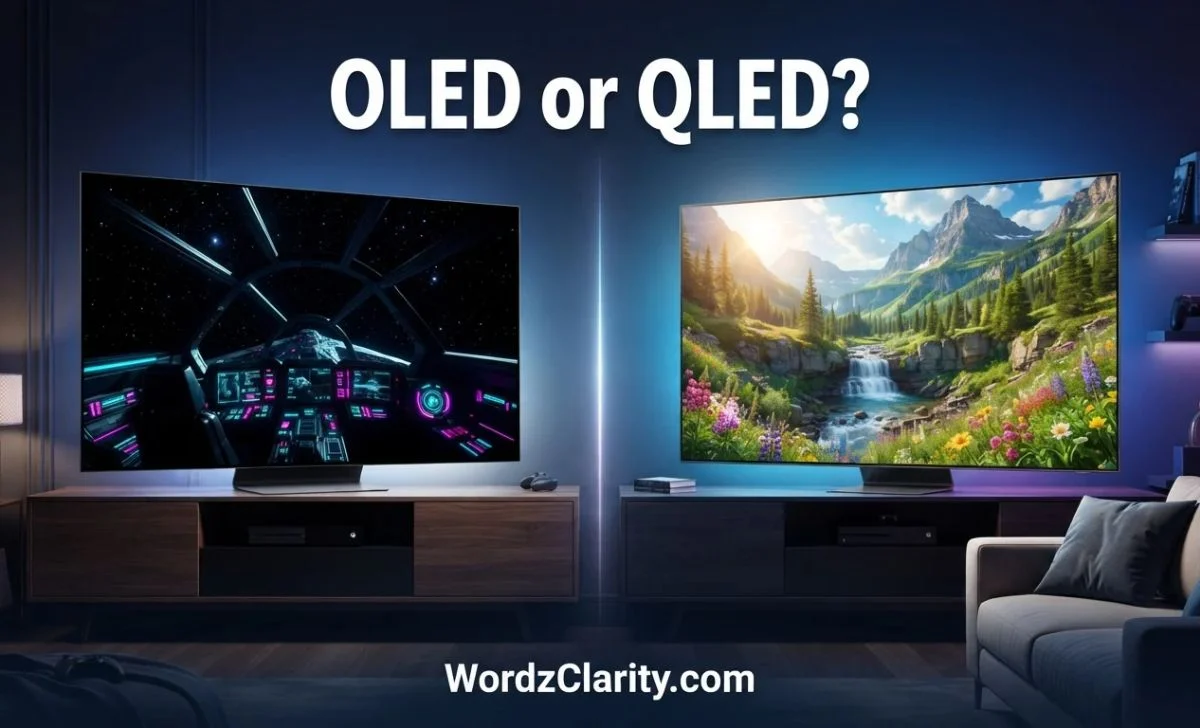
Choosing between OLED and QLED can be confusing. Both can deliver sharp images, rich colors, and an impressive viewing experience. Yet they work in different ways, and those differences matter when you watch movies, play games, use a computer, or watch TV in a bright room.
OLED is known for deep blacks, strong contrast, and clear motion. QLED TVs often offer high brightness, vivid colors, and a wider range of prices and screen sizes. However, neither technology is automatically the best choice for everyone. Your room, budget, viewing habits, and favorite content all play a role.
You may also wonder which technology is newer, whether OLED or QLED is better for your eyes, or how either compares with 4K. These terms can be confusing because OLED and QLED describe display technologies, while 4K describes screen resolution.
In this guide, you’ll learn how OLED and QLED work, compare their pros and cons, and see which option suits gaming, movies, monitors, and daily use. You’ll also learn what to check before buying a new screen.
Quick Answer: OLED or QLED?
Choose OLED for deep blacks, excellent contrast, wide viewing angles, and fast motion. Choose QLED if you want a bright screen, more budget options, and less concern about traditional OLED burn-in. The best choice still depends on the specific model.
- For movies in a dark room: OLED is often the better choice.
- For a bright living room: A high-brightness QLED, especially a good Mini-LED model, may be a better fit.
- For gaming: OLED often wins on pixel response time and contrast, while QLED can be a strong choice for bright rooms and long sessions with static interface elements.
- For a tight budget: QLED usually offers more affordable choices.
- For a computer monitor: OLED suits immersive gaming and media, while QLED or another LED-backlit LCD can be practical for office work and static content.
- For 4K resolution: You can buy either an OLED 4K TV or a QLED 4K TV.
For example, if you mainly watch films at night and want dark scenes to look rich, OLED is worth considering. If your TV sits in a sunny room and you watch sports during the day, a bright QLED may suit you better.
What Is the Difference Between OLED and QLED?
The main difference is how each screen creates light. OLED pixels produce their own light. QLED TVs use an LED backlight and a quantum-dot layer to improve color.
Although the names look similar, the technologies are not the same.
How OLED Works
OLED stands for Organic Light-Emitting Diode. Each pixel can light up on its own. It can also switch off completely when the image needs to show black.
This gives OLED several benefits:
- Deep blacks in dark scenes.
- Excellent contrast between bright and dark areas.
- No backlight halo around bright objects.
- Wide viewing angles on many models.
- Fast pixel response for gaming and sports.
For example, imagine watching a night scene with a bright moon against a black sky. An OLED screen can turn off the pixels around the moon while keeping the moon bright. This creates a strong contrast between the two areas.
However, OLED screens can be less bright than some high-end LED-backlit TVs when displaying a large, bright image. They can also develop permanent burn-in after prolonged exposure to the same fixed image.
How QLED Works
QLED stands for Quantum Dot Light-Emitting Diode. In most consumer TVs, QLED is an LED-backlit LCD display that uses a quantum-dot layer to produce vivid colors.
The backlight illuminates the screen. The LCD layer controls how much light passes through, while quantum dots help produce a wide range of colors.
QLED offers these advantages:
- High brightness on many models.
- Vivid colors, especially in bright rooms.
- A broad choice of screen sizes and prices.
- No traditional OLED-style pixel burn-in.
- Good performance for daytime TV and sports.
For example, if sunlight enters your living room, a bright QLED TV may make daytime shows easier to see. However, not every QLED is equally bright. An affordable model may perform very differently from a premium one.
Some QLED TVs also use Mini-LED backlighting. This allows more precise control over groups of lights and can improve contrast. Still, because the backlight illuminates zones rather than each pixel independently, some light can spill around bright objects on a dark background.
OLED vs. QLED at a Glance
| Feature | OLED | QLED |
|---|---|---|
| How it produces light | Self-lit pixels | LED backlight, LCD layer, quantum dots |
| Black levels | Excellent; pixels can switch off | Depend on backlight and local dimming |
| Contrast | Usually excellent | Varies by model |
| Bright-room viewing | Depends on model and glare | Often a strong choice |
| Viewing angles | Usually wide | Vary by LCD panel type |
| Motion response | Usually very fast | Varies by model |
| Burn-in risk | Possible with prolonged static images | Not subject to traditional OLED pixel burn-in |
| Price range | Often higher for comparable premium models | Broad range, including budget models |
| Gaming | Excellent motion and contrast | Good options across many budgets |
| Best use | Movies, dark scenes, immersive gaming | Bright rooms, sports, everyday viewing |
These are general patterns, not guarantees. Screen size, panel generation, brightness, local dimming, processing, and price can change the result.
OLED or QLED: Which Is Better?
There is no single winner for every household. OLED often has the edge in black levels and motion clarity. QLED often makes more sense when brightness, price, and long periods of static content matter most.
Use your main viewing habits to guide the decision.
Choose OLED if you:
- Watch films in a dim room.
- Want dark scenes to look detailed and deep.
- Play fast-paced games.
- Often watch from the side of the screen.
- Value contrast and picture quality over the lowest price.
Choose QLED if you:
- Watch TV in a bright living room.
- Watch lots of daytime sports or news.
- Want more choices across different budgets.
- Use a screen for long periods with static logos or menus.
- Prefer a high-brightness model with effective local dimming.
One important point: a premium QLED can outperform an entry-level OLED in some situations, and a good OLED can outperform a basic QLED in others. Compare the actual models instead of relying on the technology label alone.
OLED vs QLED: Pros and Cons
Understanding the strengths and weaknesses of each technology can help you avoid buying a screen that does not suit your needs.
OLED pros and cons
Pros
- Excellent black levels and contrast.
- Little to no blooming around bright objects.
- Fast pixel response.
- Strong viewing angles on most models.
- An immersive experience for films and games.
Cons
- Burn-in is possible with repeated, prolonged static images.
- Some models struggle to match the full-screen brightness of the brightest LED-backlit TVs.
- Premium models can cost more than many QLED alternatives.
- Performance varies between OLED panel types and generations.
QLED pros and cons
Pros
- Many models offer high brightness.
- Good color performance.
- Wide price and size selection.
- No traditional OLED-style burn-in.
- Mini-LED models can provide strong contrast and HDR performance.
Cons
- Black levels depend on the LCD panel and backlight system.
- Some models show blooming around bright objects.
- Viewing angles vary, and some panels lose contrast when viewed from the side.
- Picture quality can differ greatly between budget and premium models.
The right balance depends on which drawbacks matter most to you. If you mainly watch films at night, OLED’s contrast may be worth the extra cost. If you need a screen for a sunlit room, brightness may matter more.
OLED vs QLED vs 4K: What Is the Difference?
This is one of the most important distinctions to understand before buying a TV.
OLED and QLED describe display technologies. 4K describes resolution. They are not three competing display types.
A 4K screen has approximately 3,840 × 2,160 pixels. That is about 8.3 million pixels. It can show fine detail when the content and viewing distance allow you to see the difference.
You can buy all of the following:
- A 4K OLED TV.
- A 4K QLED TV.
- An OLED monitor with a 4K resolution.
- A QLED TV with a resolution other than 4K.
| Term | What it describes | What it affects |
|---|---|---|
| OLED | Display technology | Black levels, contrast, motion response |
| QLED | Quantum-dot LED-backlit LCD technology | Color, brightness, and overall picture performance |
| 4K | Resolution | Image detail and pixel count |
| Mini-LED | Backlighting technology | Brightness and local dimming control |
| QD-OLED | A type of OLED display using quantum dots | Contrast, color performance, and motion |
Is 4K better than OLED or QLED?
That question compares different things. A 4K screen can look sharp, but resolution alone does not guarantee better picture quality.
For example, a 4K OLED TV may produce deep blacks and detailed images. A 4K QLED TV may offer stronger brightness in a sunny room. Both can display 4K content.
When comparing TVs, check resolution, contrast, brightness, HDR support, and picture processing together. Do not assume that every 4K TV looks better than every lower-resolution TV in all situations.
OLED or QLED: Which Is the Latest Technology?
Neither OLED nor QLED is simply the newest technology. Both continue to develop, and manufacturers release new panels and features over time.
Newer OLED developments include QD-OLED and Tandem OLED designs. QD-OLED combines OLED light generation with quantum dots to produce color. Tandem OLED uses stacked light-emitting structures to improve certain aspects of panel performance.
On the QLED side, Mini-LED backlighting is an important development. It uses many small LEDs and local dimming zones to improve control over brightness and dark areas.
Keep in mind that Mini-LED and QLED are not interchangeable terms. Mini-LED describes the backlight, while QLED describes the quantum-dot display approach. A TV can use both.
If you are shopping for the latest TV, compare the model year and the actual features. Look at peak brightness, refresh rate, HDR performance, local dimming, gaming support, and price. A newer model is not always better value than an older premium TV on sale.
OLED or QLED for Gaming?
OLED is often an excellent choice for gaming because its pixels change state very quickly. This helps reduce motion blur, and its strong contrast makes dark game scenes look impressive. Many gaming OLEDs also support high refresh rates and variable refresh rate (VRR).
QLED can also be a great gaming option. A bright QLED or Mini-LED TV may suit a sunny room, and many models offer high refresh rates and modern gaming features.
When comparing screens for gaming, check these specifications:
- Refresh rate: 120 Hz or higher can provide smoother motion when the game and device support it.
- Response time: Faster pixel transitions help reduce trailing behind moving objects.
- Input lag: Lower lag makes controls feel more responsive.
- VRR: Variable refresh rate helps reduce screen tearing.
- HDMI 2.1 features: Useful for supported high-resolution, high-refresh-rate gaming.
- Burn-in considerations: Relevant if you leave the same game interface or HUD visible for long periods.
For a PS5 or Xbox Series X, both OLED and QLED can work well. Check the individual TV’s supported resolution, refresh rate, VRR, and input lag instead of assuming every model has the same features.
Gaming verdict: Choose OLED if motion clarity and contrast are your priorities. Choose QLED if you need high brightness, a broad budget range, or a screen that will display fixed game elements for long sessions.
OLED vs. QLED: Which Is Better for Your Eyes?
Neither OLED nor QLED is automatically better for your eyes. Comfort depends on more than the panel type. Brightness, glare, viewing distance, room lighting, and how long you stare at the screen all matter.
The American Academy of Ophthalmology explains that long periods of screen use can cause temporary digital eye strain. Common symptoms include dry eyes, headaches, and blurred vision. It recommends adjusting brightness, reducing glare, and taking regular breaks
American Academy of Ophthalmology
How to make either screen more comfortable
- Match brightness to the room. A very bright screen in a dark room can feel uncomfortable.
- Reduce reflections. Avoid placing the screen where windows or lamps create distracting glare.
- Take regular breaks. Try the 20-20-20 rule: every 20 minutes, look at something about 20 feet away for 20 seconds.
- Choose a comfortable viewing distance. Avoid sitting so close that you need to strain to see the whole image.
- Adjust the picture. Use a comfortable color temperature and reduce harsh brightness at night if that helps you.
If OLED’s contrast looks better to you at a lower brightness, it may feel more comfortable. If a QLED screen needs less effort to overcome daylight in your room, it may suit you better.
Do not buy either type solely because you have heard it is “eye-safe.” If you often have eye pain, persistent blurry vision, or ongoing discomfort, speak with an eye-care professional.
OLED or QLED Monitor: Which Should You Buy?
The best monitor depends on whether you mainly play games, edit media, work with documents, or do a mix of tasks.
OLED monitors
OLED monitors are especially appealing for gaming and entertainment. They offer deep blacks, high contrast, and very fast pixel response. Some models also provide high refresh rates and 4K resolution.
However, think carefully about your daily work. If you leave spreadsheets, browser tabs, taskbars, or editing controls on screen for many hours, the risk of burn-in may matter. OLED monitor text clarity can also vary by panel design and subpixel layout.
QLED and other LED-backlit LCD monitors
A QLED monitor may offer vivid colors and high brightness, depending on the model. Other LED-backlit LCD monitors, including IPS and VA models, can also be excellent choices for work.
For office tasks, static documents, and general browsing, an LCD monitor may offer better value and less concern about OLED burn-in. For gaming, a premium OLED may provide a more immersive experience.
| Main use | What to prioritize |
|---|---|
| Competitive gaming | High refresh rate, low input lag, fast response |
| Story-driven gaming | Contrast, HDR, color, and motion |
| Office and spreadsheets | Text clarity, ergonomics, glare control, price |
| Photo and video editing | Color accuracy, calibration, resolution |
| General home use | Price, size, resolution, comfort |
| Bright workspace | Brightness and reflection handling |
Do not select a monitor by the OLED or QLED label alone. Compare resolution, pixel density, refresh rate, text clarity, ports, warranty terms, and how well the screen handles your room’s lighting.
What Do Reddit Users Say About OLED vs. QLED?
People discussing OLED vs. QLED on Reddit may focus on real-world issues that product specifications do not fully capture. Common topics include dark-scene performance, daytime brightness, reflections, gaming motion, burn-in worries, and whether a premium screen is worth its price.
However, individual experiences are not universal test results. One person may prefer OLED because they watch films in a dark room. Another may prefer QLED because their living room gets direct sunlight. Both may be making sensible choices for different conditions.
When reading Reddit discussions or user reviews, look for:
- The exact TV or monitor model.
- The room’s lighting conditions.
- How long the person has owned the display.
- Whether the screen is used for gaming, films, or office work.
- Repeated reports across several owners, rather than one dramatic comment.
Use user discussions to identify questions worth investigating. Then compare independent measurements, warranty terms, and the manufacturer’s specifications before you buy.
Common Mistakes to Avoid When Choosing OLED or QLED
A few simple mistakes can lead to the wrong purchase.
1. Assuming QLED is the same as OLED
The names look alike, but the underlying display systems differ. OLED uses self-lit pixels, while conventional QLED TVs use an LED backlight and an LCD layer with quantum dots.
2. Treating 4K as a competing technology
4K is resolution, not a panel type. Compare OLED 4K with QLED 4K when you want to keep resolution consistent.
3. Believing every QLED is brighter than every OLED
Brightness varies by model and picture setting. A premium OLED may be brighter than an entry-level QLED in some situations. Check measured results for the exact model.
4. Assuming OLED burn-in is inevitable after normal use
Burn-in is possible, especially when the same bright or static elements remain on screen for long periods. But the risk depends on usage and display design. Follow the manufacturer’s care guidance.
5. Buying only by brand or marketing name
A brand can sell different levels of performance. Compare the exact model’s contrast, brightness, refresh rate, HDR handling, and warranty.
6. Ignoring room lighting
A TV that looks outstanding in a dark showroom may handle sunlight differently at home. Think about windows, lamps, reflections, and where people sit before deciding.
FAQs
1. Is OLED worth the extra money over QLED?
OLED can be worth the extra cost if you value deep blacks, strong contrast, and fast motion. QLED may offer better value if you want a bright screen with more budget options. Compare prices and performance for the models you are considering.
2. Does QLED last longer than OLED?
QLED avoids traditional OLED pixel burn-in, which can make it a practical choice for screens displaying fixed content for long periods. However, no display is immune to aging or component failure. Lifespan depends on the panel, usage, heat, and other factors.
3. Can OLED burn-in be prevented?
You cannot guarantee that burn-in will never occur, but you can lower the risk. Avoid leaving static images on screen for extended periods, use built-in pixel-care features, and follow the manufacturer’s recommendations.
4. Is QD-OLED the same as QLED?
No. QD-OLED is a type of OLED display that uses quantum dots. A conventional QLED TV is generally an LCD screen with LED backlighting and a quantum-dot layer. The names are similar, but their light-producing systems are different.
5. Is OLED better for watching sports?
OLED’s fast response can help keep moving objects clear. However, a bright QLED may be preferable for daytime sports in a room with lots of sunlight. Motion processing and refresh rate also affect the experience.
6. Is a 4K OLED better than a 4K QLED?
Neither is always better. Both can offer 4K resolution. OLED generally has an advantage in black levels, while many QLED models have an advantage in brightness or price. Compare the exact models and your viewing environment.
7. Should I buy OLED or QLED for a bedroom?
OLED is a strong choice if you watch movies in a dark bedroom and want excellent contrast. QLED can be a better fit if you watch with lights on, want to spend less, or prefer a bright display. Lowering screen brightness at night may also improve comfort.
Conclusion
OLED and QLED both have clear strengths, so the right choice depends on how you use your screen. OLED is often the better option for film lovers and gamers who want deep blacks, strong contrast, wide viewing angles, and fast motion.
It can make dark scenes feel more realistic and give games a more immersive look. However, you should consider the price and the possibility of burn-in when the same content stays on screen for long periods.
QLED is a strong alternative for bright rooms, daytime TV, sports, and buyers who want more choices across different budgets. Premium QLED models with Mini-LED backlighting can also deliver impressive brightness and contrast.
Remember that OLED and QLED are display technologies, while 4K is a resolution. A 4K OLED and a 4K QLED can both show detailed images, but their contrast and brightness may differ.
Before you buy, compare the exact models, check independent reviews, consider your room’s lighting, and decide which features matter most.
For dark-room movies and immersive gaming, start with OLED. For a bright room, flexible pricing, or long sessions with static content, start with QLED. The best screen is the one that fits your needs, not simply the one with the more impressive name.
Read More Blogs
- Worshiped or Worshipped: What’s the Difference?
- Ingrained or Engrained: Which Spelling Should You Use?
- Attornies or Attorneys: Correct Usage With Examples